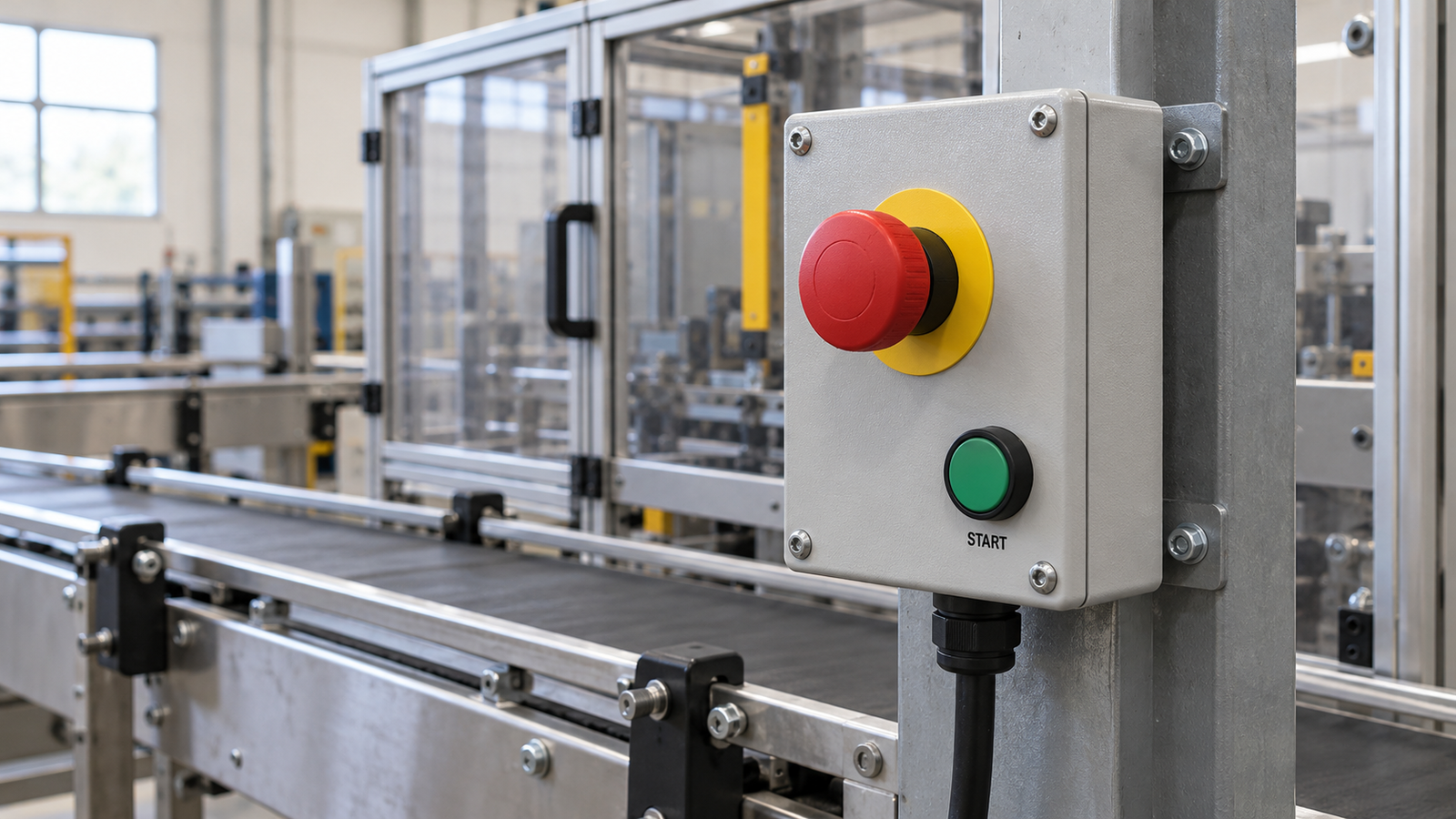
A kill switch is a broad, everyday term for any control that quickly stops or disables a machine. In industrial equipment, engineers rely on more precise definitions. An Emergency Stop (E-Stop) responds when an operator presses a button to latch the machine into a stopped state during an emergency. A Deadman Switch responds when an operator releases or panics and squeezes a control, stopping the machine if the person becomes incapacitated.
Understanding how these controls react when pressed, released, or reset helps you choose the right switch for operation and maintenance.
What Does a Kill Switch Actually Do?
A kill switch interrupts the specific circuit it is wired to. It might cut an engine ignition, drop a drive signal, or trigger a full emergency stop. Stopping a motor does not always disconnect power from the entire machine. Indicators and controllers may stay live, and heavy rotating parts can still coast after power is cut.
To know what a switch actually stops, check the wiring diagram. The diagram shows how NO and NC contacts change state when actuated, and how the controller processes that signal to stop the outputs.
Kill Switch vs. E-Stop vs. Deadman Switch
People often call an industrial E-stop a “kill switch,” yet the three terms represent different functional concepts:
| Feature | Kill Switch | E-Stop | Deadman Control |
| Definition | Informal term for any stopping or disabling switch | Standardized emergency stopping function | Control that stops operation if the operator lets go |
| How It Triggers | Varies by design | Deliberately pressing the button | Releasing the control (or squeezing too hard on a 3-position switch) |
| Must Be Held Down? | Varies | No, latches once pressed | Yes, requires continuous contact to run |
| State After Triggering | Varies by circuit | Stays locked out until manually reset | Stops operation or withdraws run permission |
| How to Restart | Varies by system | Twist or pull to reset, then give a separate start command | Re-engage the switch and issue a start command |
Physical appearance does not determine how a switch functions in the system. With foot switches, momentary or maintained action only describes the pedal mechanism, while the machine’s wiring logic dictates the actual stopping behavior. A momentary pedal wired to a latched relay starts a full cycle with one tap, whereas that same pedal wired to a hold-to-run circuit stops the machine the instant you lift your foot.
How E-Stops and Deadman Controls Work
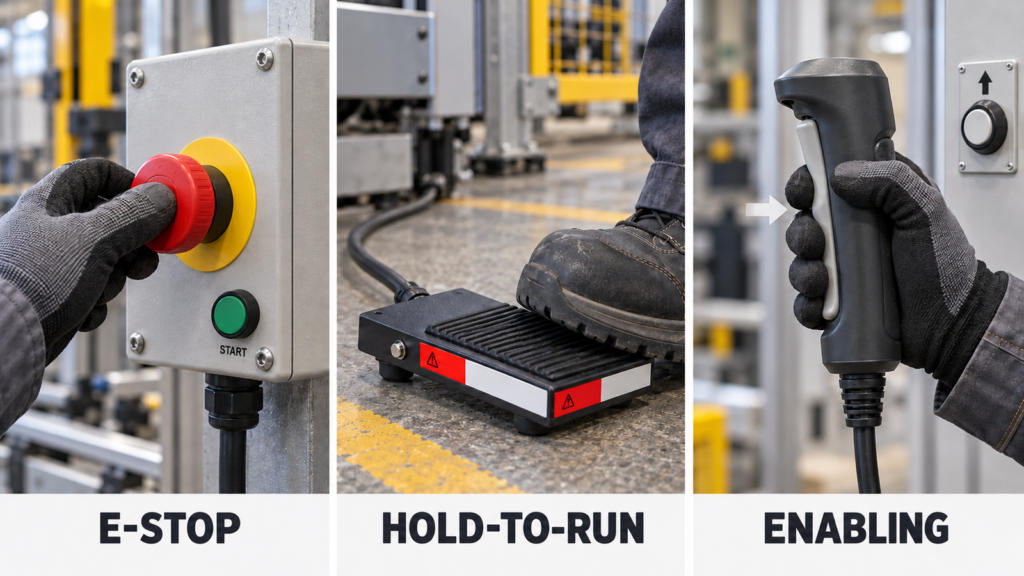
The core difference comes down to operator action. An E-stop waits for you to hit it during a crisis, while a deadman control requires active holding just to keep the machine running. In industrial standards, deadman functions are usually split into hold-to-run controls and three-position enabling switches.
Emergency Stop (E-Stop) Controls
Pressing an E-stop overrides other machine controls and locks the stop command in place until someone manually resets the actuator. For electrical machinery, IEC 60204-1 defines two main emergency stop categories:
- Category 0 (Uncontrolled Stop) immediately cuts power to the machine actuators, though high-inertia loads may still coast.
- Category 1 (Controlled Stop) keeps power available just long enough to apply powered braking, then cuts actuator power once the machine comes to a complete stop.
An E-stop relies on a person noticing danger and hitting the button. It works alongside interlocked machine guards, which automatically stop hazardous motion the moment a safety door opens.

Two-Position Hold-to-Run Controls
A hold-to-run control is a classic deadman setup. The machine runs only while the operator holds the button or pedal down, and stops immediately upon release. Operators commonly use it to “jog” machinery into position in small, supervised increments.

When wiring a momentary foot switch for hold-to-run operation, verify that the controller requires a continuous input signal rather than a quick start pulse, and test the stopping distance under real load conditions.
Three-Position Enabling Controls
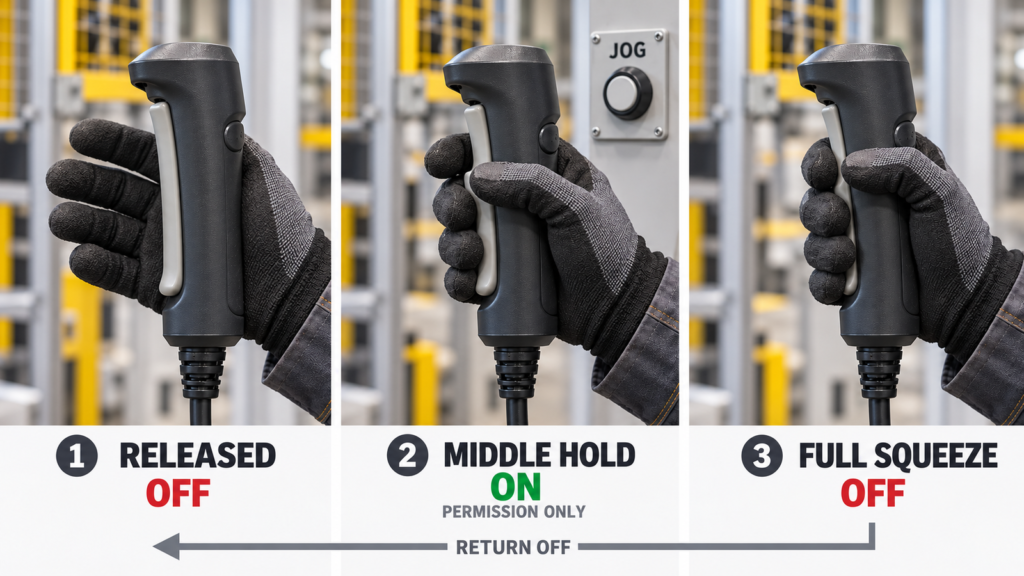
Standard two-position deadman switches have a known limitation: startled operators often clench their hands tighter instead of letting go. Three-position enabling switches solve this with an OFF, ON, OFF sequence:
- Position 1 (Released) keeps the switch OFF so the machine cannot move.
- Position 2 (Middle hold) turns the switch ON and permits operation alongside a separate joystick or button, such as on a robot teach pendant.
- Position 3 (Full panic squeeze) turns the switch OFF again. When released from a full squeeze back to Position 1, the switch stays off as it passes through the middle position.
Which Safety Measure Fits the Task?
Different hazards call for different controls, and servicing a machine requires a completely separate approach from stopping it during production.
| Task | Right Safety Measure | Key Limitation |
| Stop sudden, unexpected danger | Emergency Stop (E-Stop) | Requires human reaction; not for maintenance lockout |
| Jog or run a machine under direct supervision | Hold-to-Run Control | Machine may still coast briefly after release |
| Guide a robot or machine during setup or teaching | 3-Position Enabling Switch | Only grants permission; requires a separate movement button |
| Prevent access to moving parts | Guard Interlock / Guard Locking | Must account for coasting time before the door opens |
| Perform maintenance or repair inside the machine | Energy Isolation (Lockout/Tagout) | Control switches (E-stops or pedals) do not isolate power |
A Critical Reminder on Maintenance (LOTO)
Never rely on an E-stop, kill switch, or foot pedal to protect workers during maintenance. Under regulations like OSHA 1910.147, pushbuttons and control-circuit switches are not energy-isolating devices. Before servicing equipment, always disconnect main electrical power and bleed off stored pneumatic, hydraulic, or mechanical energy using a formal Lockout/Tagout (LOTO) procedure.

When integrating a foot-operated control into your equipment, always verify the switch specifications such as pedal action, voltage rating, contact arrangement, and IP rating against your circuit diagram and safety validation requirements.
Frequently Asked Questions
Does an Emergency Stop Button Have to Be Red and Yellow?
Yes, with a specific distinction. Under ISO 13850, the actuator (button) must be red, and the background behind it must be yellow where a background exists. The button cap itself does not need both colors; the yellow comes from the mounting collar or panel behind the red mushroom head.
Can Resetting an E-Stop Automatically Restart the Machine?
No. Twisting or pulling an E-stop out of its latched state must only clear the stop condition and never restart the machine on its own. After inspecting the machine and resetting the E-stop, the operator must press a separate start button to resume operation.

Can a Normal Foot Switch Be Used as a Deadman Switch?
A standard momentary foot switch can be wired for hold-to-run operation in low-risk tasks, provided releasing the pedal immediately cuts the run command. When the pedal protects the operator from injury, a basic foot switch is not enough on its own. You must evaluate the entire safety circuit, fault tolerance, and stopping time according to machine safety standards.
External Sources
- DigiKey: Kill Switch Terminology
- IDEC: ISO 13850 Emergency Stop Requirements
- IDEC: IEC 60204-1 Control Functions and Stop Categories
- IDEC: How Three-Position Enabling Switches Work
- IDEC: Hold-to-Run and Enabling Switch Differences
- OSHA: Control of Hazardous Energy, 29 CFR 1910.147