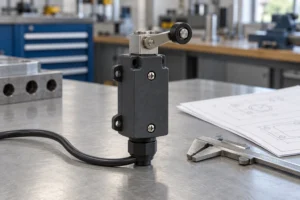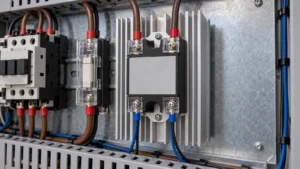
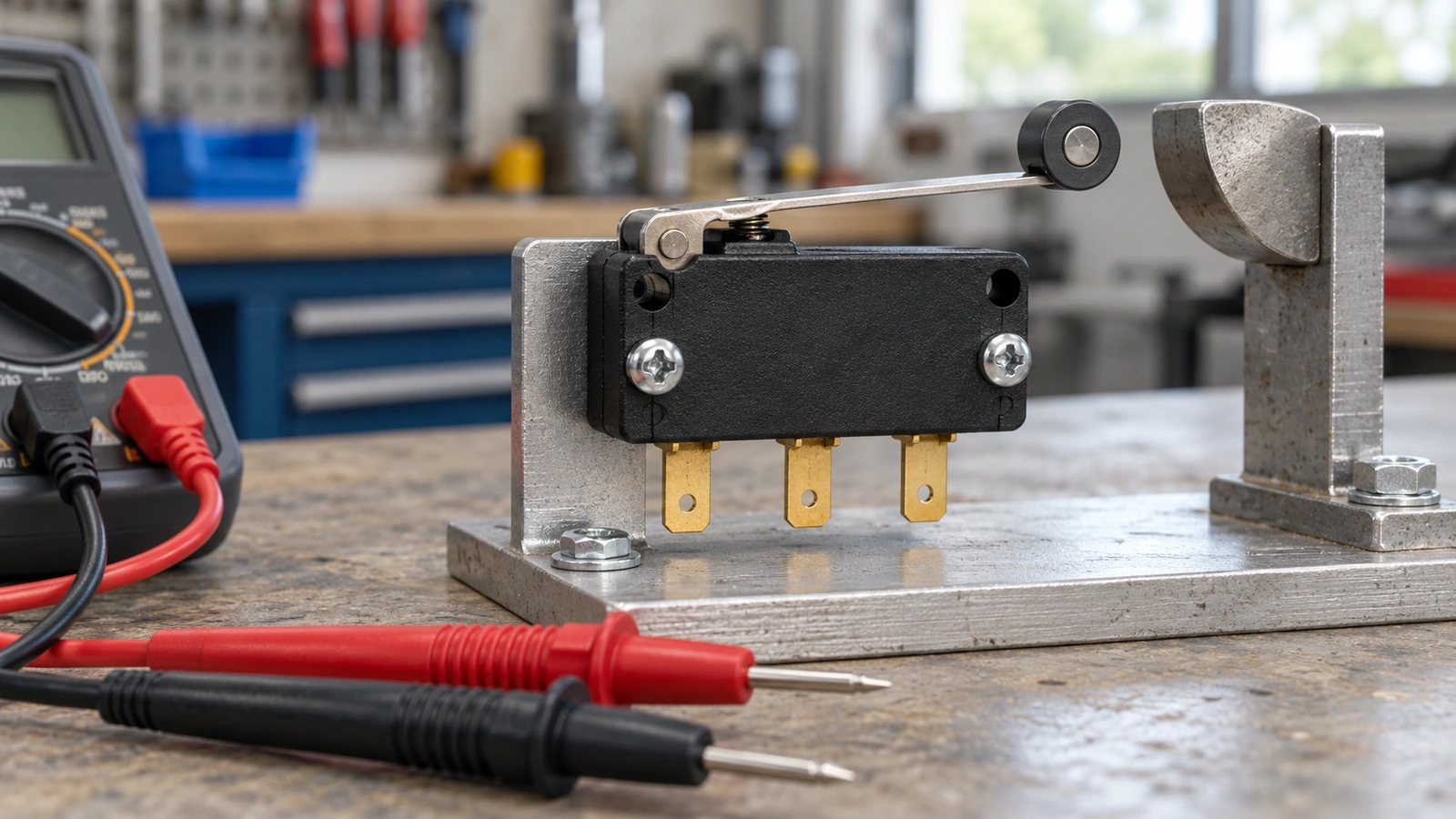
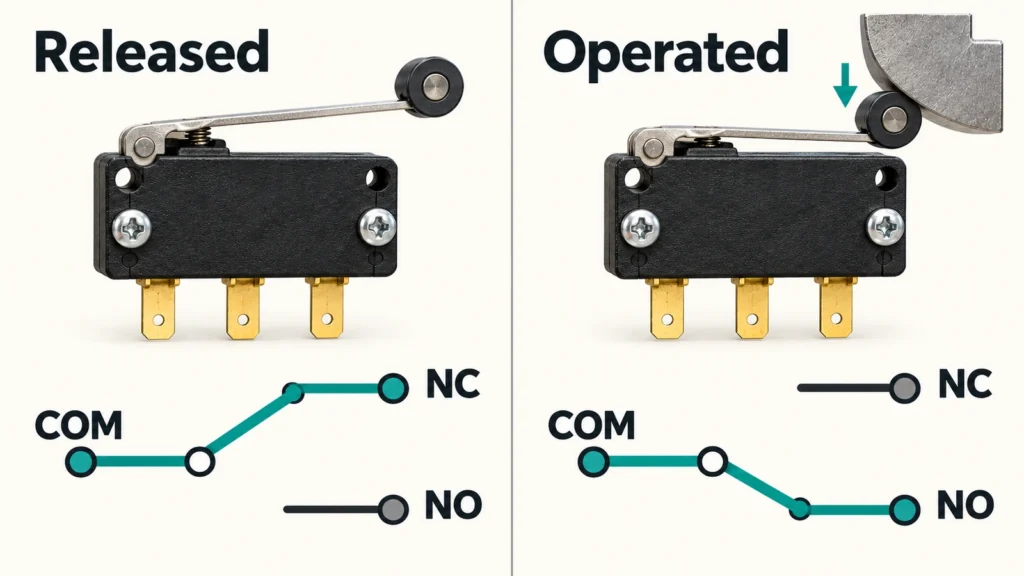
On a three-terminal changeover switch, COM connects to NC when released and transfers to NO when operated. Before wiring, confirm the contact arrangement on the manufacturer’s diagram and verify continuity with the switch isolated.
What COM, NO, and NC Mean on a Limit Switch
These three labels define every changeover contact’s wiring logic.
- COM is the shared terminal that switches between two paths.
- NC (normally closed) conducts to COM when the actuator is released.
- NO (normally open) conducts to COM when the actuator is operated.
COM is not a protective earth terminal. Never route an earth conductor through the switch contacts.
| Terminal Pair | Actuator Released | Actuator Operated |
| COM to NC | Closed | Open |
| COM to NO | Open | Closed |
This table covers a mechanical switch with one changeover contact and automatic return. For mid-travel behavior, check the model documentation. “Normal” refers to the switch’s own unoperated state, not the machine’s resting position. A cam may hold the actuator pressed while the machine is parked, so always record the actuator condition alongside your reading.
Three-Terminal and Four-Terminal Wiring Diagrams
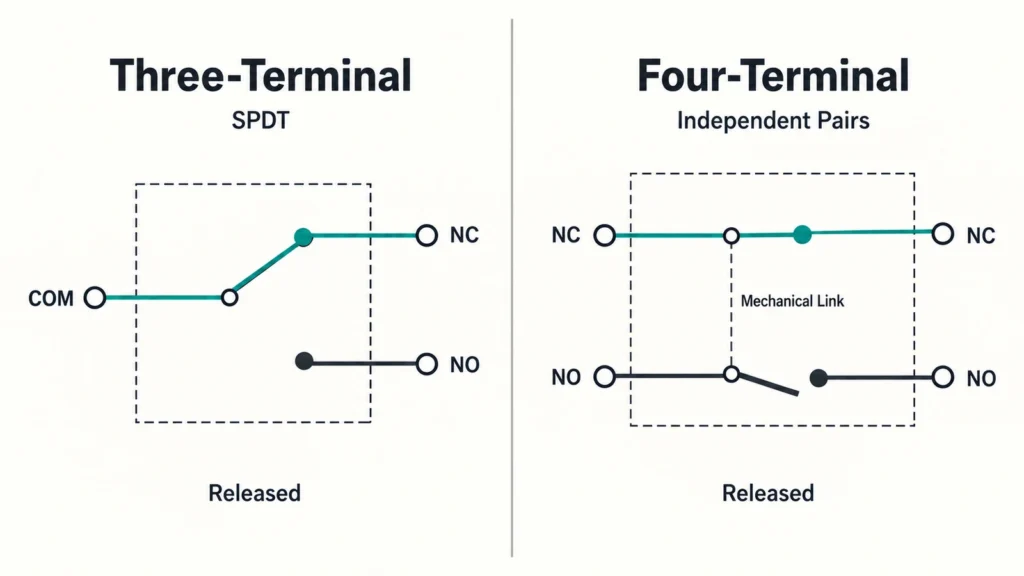
The contact arrangement determines how many conductors you need and whether the contacts share a common terminal.
Three-Terminal
A three-terminal switch (SPDT) gives you one COM and two paths: NC and NO. Pin positions vary by model. OMRON’s D4C, for instance, puts COM on pin 3, NC on pin 2, NO on pin 4. Always confirm the full model suffix and connector drawing before trusting any pin assignment. Only two conductors are needed for a single contact function; the third terminal stays unused. Both outputs share COM, so they are not electrically isolated. Your circuit must account for that.
Four-Terminal
A four-terminal switch can provide an independent NO pair and NC pair on the same actuator, with no shared COM. Identify the two pairs from the manufacturer’s diagram.
When selecting a replacement switch, match the contact arrangement first. A unit that fits the mounting holes can still need a completely different circuit. Keep the original wiring drawing on hand. Four pins do not always mean four switching connections. One may be earth or internal circuitry. Count the switching connections on the schematic separately.
How to Identify the Terminals on Your Limit Switch
Knowing the labels is one thing; finding them on the device is another.
Read Terminal Markings
Some switches print COM, NO, and NC on the contact block; others use numbers that require the matching diagram. Physical pin order alone does not reveal contact function, so always check the drawing. Wire colors are equally unreliable without model documentation. A different cable, connector, or viewing angle can reverse what looks familiar. Identify every terminal on the diagram and keep wire labels intact before transferring conductors.
Check the Wiring Diagram
The wiring diagram maps contact functions to terminal numbers. Watch the model suffix, drawing revision, and whether the connector is shown from its mating face or cable side. A mirrored view reverses the layout. A limit switch symbol describes contact behavior; a terminal layout shows physical locations. Use both when they are supplied separately. Models with indicators or internal electronics need their specific circuit drawing, as those components affect measurements and may require correct polarity.
How to Verify Limit Switch Contacts With a Multimeter
After identifying the terminals, a continuity test confirms the markings match reality. Three steps.
Step 1: Isolate and Confirm Zero Voltage
The switch must be electrically dead, not just stopped. Lock out, discharge stored energy, verify zero voltage.
- Isolate the supplies feeding the switch circuit.
- Verify zero voltage with the approved procedure.
- Label and disconnect conductors to remove external paths.
Step 2: Test Each Contact Pair
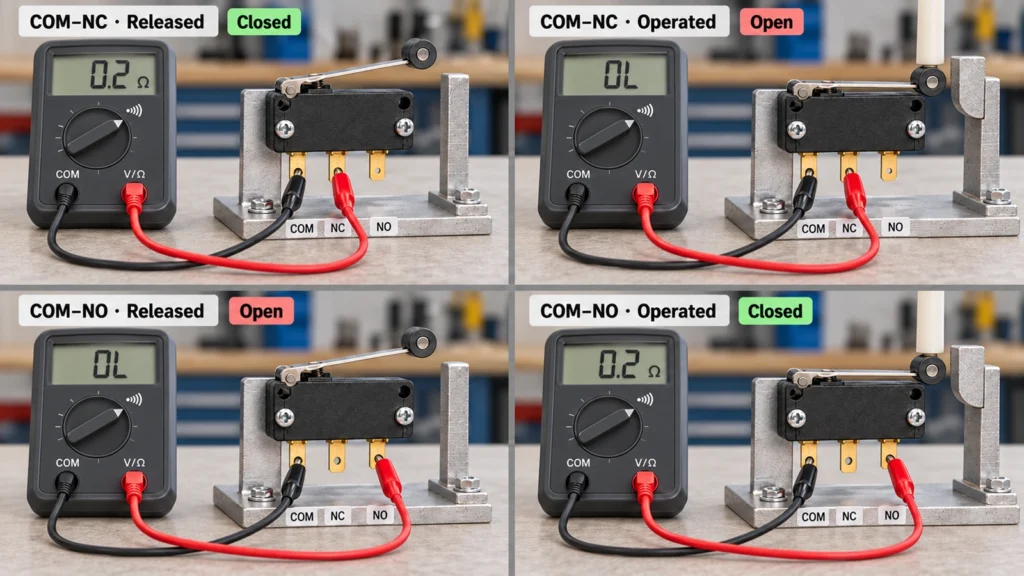
Set the multimeter to continuity mode. Touch the probes together (beep), then separate (silence) to confirm the meter works.
- COM to NC: Expect a closed path (beep) when released, and an open path (silence) when operated.
- COM to NO: Expect an open path when released, and a closed path when operated.
- Four-terminal switches: Test each contact pair individually per the diagram. Do not assume a shared COM.
Step 3: Compare With the Diagram
Every result should match the contact diagram. Repeat the stroke to confirm each state returns cleanly. If a reading stays inconsistent, work through a structured contact testing procedure before reconnecting.
A continuity beep only proves a path at the meter’s test current. It tells you nothing about load capacity, PLC-level sensing current, or safety suitability. Those require the datasheet and the application specification.
Basic NO and NC Wiring Examples
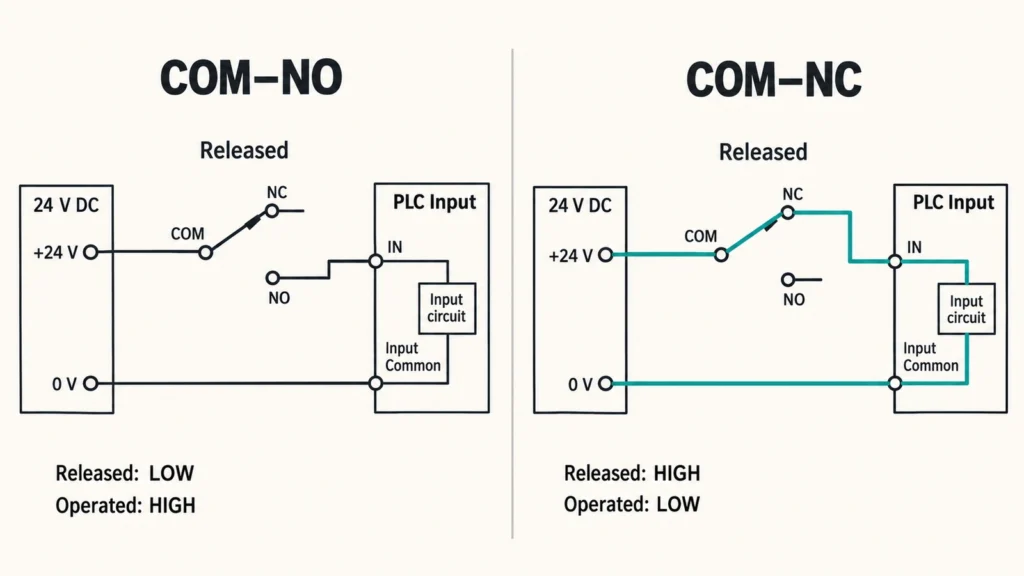
Both examples use a passive three-terminal switch and a 24 V DC PLC input (active-high, input common to 0 V). Confirm whether your module expects sinking or sourcing input current before applying.
COM and NO Wiring
Connect +24 V to COM, NO to the PLC input, input common to 0 V.
- Signal path: +24 V → COM → NO → PLC input → 0 V.
Released: NO breaks the path, input stays low.
Operated: NO closes, input goes high.
Use this when the program expects a signal at the sensing point. Both a broken conductor and an unoperated switch leave the input low, making the two conditions look identical. If that distinction matters, add monitoring.
COM and NC Wiring
Connect +24 V to COM, NC to the PLC input, input common to 0 V.
- Signal path: +24 V → COM → NC → PLC input → 0 V.
Released: NC conducts, input is high.
Operated: NC opens, input drops.
A broken conductor also drops the input, and the controller cannot tell it apart from normal actuation. When choosing between NO and NC for your application, weigh which failure modes the circuit can and cannot detect. NC wiring alone does not constitute a safety function.
Need Help With Your Wiring?
If the replacement switch differs in contact arrangement, actuator travel, or controller interface, send your model code, terminal photos, circuit drawing, supply voltage, and load details to XURUI’s engineering team for review before installation.
Frequently Asked Questions
Can a Limit Switch Directly Control a Motor?
Only if its documented motor duty covers your voltage, starting current, and conditions. A resistive rating is not sufficient; motor loads draw significantly higher inrush current. The practical approach: use the switch to drive a contactor coil, and let the contactor switch the motor. The switch still needs to handle the coil’s inrush, and you will likely need a suppression device. Check the contactor documentation for the recommended arrangement.
Can Limit Switches Be Wired in Series or Parallel?
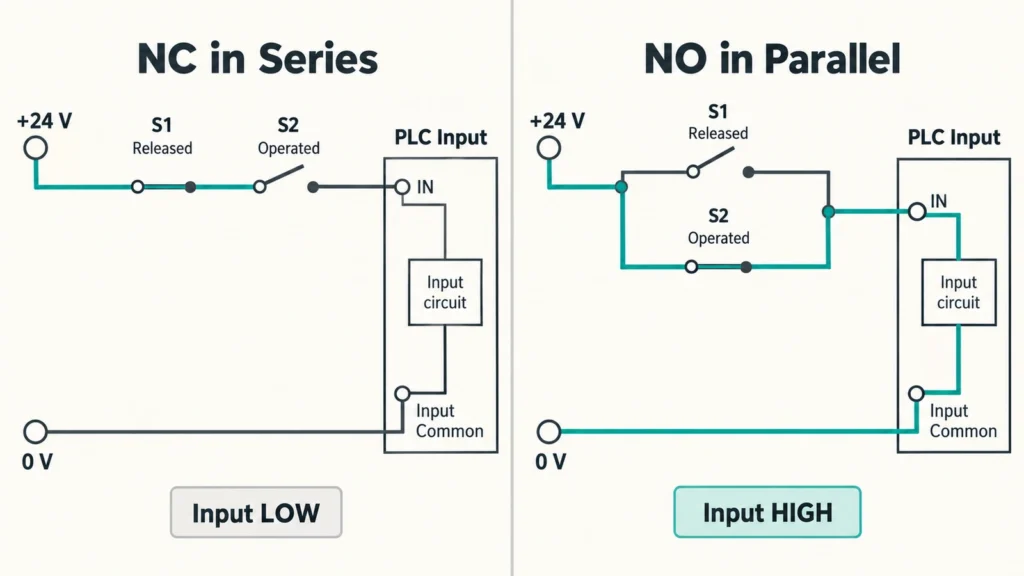
Yes. Wiring NC contacts in series opens the circuit when any single contact opens. Wiring NO contacts in parallel completes the circuit when any single contact closes. The tradeoff is diagnostics: a shared input cannot tell you which switch changed state. For diagnostics, use separate inputs. For safety, a generic series/parallel layout is not enough. You need the approved monitoring architecture and a fault analysis.
What Should You Do With an Unused Terminal?
Leave it unconnected, protected by the enclosure or terminal cover. Cap any loose conductor. Do not bridge it to another terminal without a documented reason.A protective earth connection is separate. Never treat it as a spare switching terminal. Restore terminal protection and cable sealing after wiring.
References & Authoritative Sources
- OMRON SHL Limit Switch Datasheet
- Fluke Guide to Continuity Testing
- AutomationDirect CLICK Installation and Wiring Manual