
An ON-OFF-ON toggle switch features two active end positions separated by a true center-OFF position where all switched circuits disconnect. Depending on its internal pole architecture, it can route a single signal between two channels or synchronize the transfer of multiple isolated power lines.
Selecting the right switch requires looking well beyond the three lever positions. To ensure reliability in the field, control engineers must verify that contact truth tables, manufacturer circuit codes, load ratings, mechanical clearances, and terminal styles align precisely with the intended panel architecture.
How Does an ON-OFF-ON Toggle Switch Work?
Under standard operation, an ON-OFF-ON switch is maintained (latching), meaning the lever locks mechanically into whichever position it is thrown. In either end position, the internal common contact connects to its designated throw, while the center position breaks all connections entirely.
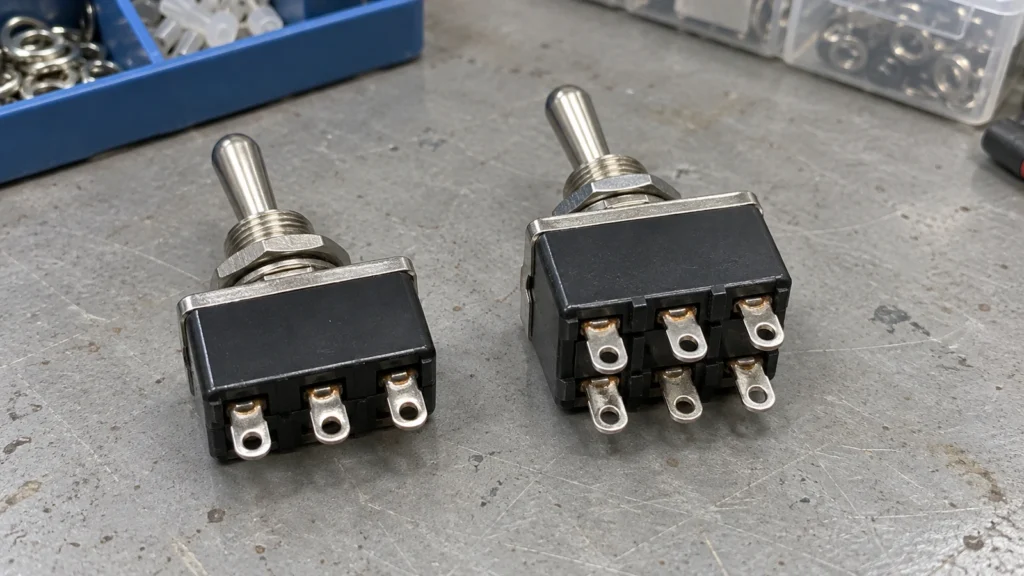
The pole count defines how many separate electrical circuits the toggle operates simultaneously:
- Single-Pole Double-Throw (SPDT): Routes one common source between two alternate outputs.
- Double-Pole Double-Throw (DPDT): Integrates two electrically isolated SPDT contact sets driven by a single mechanical lever.
This configuration is standard for applications such as Low-Off-High, Manual-Off-Auto, and Source A-Off-Source B selection. While standard switches hold their position, momentary variants spring back to center when released. A closer look at maintained and momentary toggle switches highlights how these actuation behaviors dictate control circuit logic and operator safety.
Which Terminals Connect in Each Position?
In each ON position, the common terminal (COM) routes to one of the throw contacts; at center-OFF, all paths remain open. Because terminal numbering conventions vary across switch manufacturers, the contact truth table below defines operation by functional role:
| Switch Position | SPDT Connected Terminals | DPDT Pole A Connected Terminals | DPDT Pole B Connected Terminals | Circuit State |
| First ON | COM to T1 | COM1 to T1A | COM2 to T1B | First path or paths closed |
| Center OFF | Open | Open | Open | All switched paths open |
| Second ON | COM to T2 | COM1 to T2A | COM2 to T2B | Second path or paths closed |
Do not assume terminal orientation based on external lever position. Internally, toggle mechanisms use an opposed rocking arm: tilting the lever toward one side typically forces the internal contact wiper to close on the opposite side. Consulting an illustrated toggle switch symbol guide helps match schematic contact states to physical switch terminals without wiring errors.

How Do You Read the Circuit Code?
A circuit code represents the internal contact sequence within a manufacturer’s part-numbering system. It must be interpreted in conjunction with pole counts, position notation, and terminal pinout drawings.
ON and OFF Contact States
An ON designation indicates a closed electrical path for that specific lever position. In an SPDT switch, each ON state bridges the common terminal to an alternate throw. An OFF designation confirms that all switched contact paths are physically disconnected.
Meaning of NONE in Circuit Codes
NONE specifies that no mechanical detent exists at that position in the cycle. It should never be confused with OFF. For example, an ON-NONE-ON switch is a two-position changeover unit with no center stop. Conversely, an ON-OFF-ON switch provides a stable center detent where all contacts remain open.
Momentary Position Notation
Parentheses denote spring-return (momentary) action. A switch designated ON-OFF-(ON) remains in the unparenthesized ON and center OFF positions but returns from the parenthesized ON position when released. A (ON)-OFF-(ON) unit springs back to center from both ends, making it suitable for temporary jogging, reset, or test functions.
Manufacturer-Specific Circuit Codes
Circuit codes are rarely standardized across the industry. One manufacturer may designate an ON-OFF-ON configuration with a single digit (such as “3”), while another uses a custom alphanumeric suffix. In comprehensive product families like the XT Series toggle switch, ordering codes systematically combine position sequences with specific actuator styles, terminal types, and environmental sealing options.
How Do You Match the Switch to the Panel Function?
Match the switch to the panel by defining the required state in each lever position first, then checking the pole configuration, electrical load, mounting conditions, terminals, and environmental protection.
Switching Function
Define control behavior before selecting hardware. For a Manual-Off-Auto circuit, clarify which contact receives the manual feed, verify that center-OFF isolates both circuits, and confirm automatic pilot routing. Remember that toggle switches provide raw contact states; downstream functions such as motor overload protection, restart prevention, and safety interlocks must be handled by dedicated relays, PLCs, or contactors.
Pole Configuration
Use an SPDT switch when toggling a single line or signal between two destinations. Step up to DPDT when switching two isolated lines in unison, such as reversing DC motor polarity or isolating both line and neutral in a single motion. For six-terminal wiring methods and rated DC polarity-reversal circuits, refer to the DPDT switch diagram guide.
Load Voltage, Current, and Type
Always evaluate both steady-state current and transient conditions. AC ratings cannot be directly applied to DC circuits because DC lacks a zero-crossing voltage point, allowing arcs across opening contacts to persist significantly longer. Furthermore, inductive loads (solenoids, motors) and capacitive/lamp loads produce high inrush currents that can weld contacts. If the load exceeds switch ratings, configure the toggle as a pilot device driving an industrial relay coil instead.
Panel Mounting
Verify the panel cutout diameter, bushing thread length, maximum panel thickness, and anti-rotation keying. The toggle switch collection provides a comparison of common mounting options. Always use the model-specific dimensional drawing to confirm rear depth and wiring clearance.
Terminal Configuration
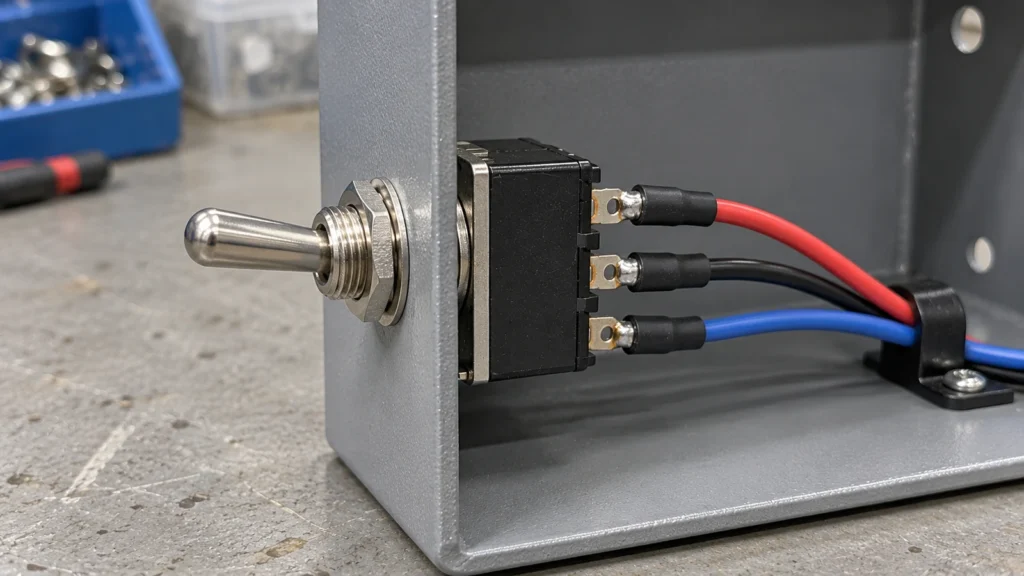
Match terminal styles to your assembly process. Solder lugs provide compact permanent connections in tight spaces, while screw terminals make field installation and servicing easier. Quick-connect tabs suit repeat-production harnesses when the mating connector is correct. PCB pins support direct board mounting and wave-solder assembly.
Environmental Protection
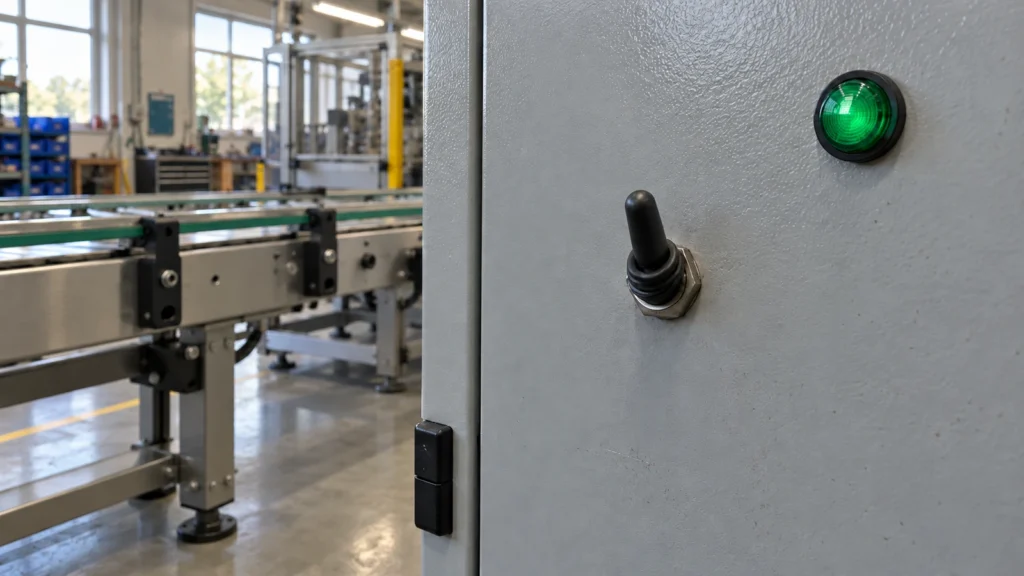
Industrial panels may be exposed to oil mist, dust, washdown spray, or vibration. Properly specified silicone boots and bushing O-rings can limit ingress at the panel opening, although they do not protect exposed rear wiring. Ensure the overall ingress protection (IP rating) accounts for both the panel face and the rear enclosure environment.
What Should You Confirm Before Ordering?
Before ordering, verify that the exact part number matches the required contact sequence, electrical ratings, dimensions, terminal arrangement, and environmental specifications.
Circuit Diagram and Contact Table
Cross-reference your schematic against the manufacturer’s published contact table. Some circuits cannot tolerate brief contact overlap during switching. In these cases, confirm that the switch uses break-before-make contacts instead of relying on the center-OFF detent alone.
Datasheet Specifications
Check published contact resistance, insulation resistance, operating temperature limits, and electrical life expectancy under full rated load. Performance parameters vary significantly across contact materials, such as silver alloy for high-current power switching versus gold plating for low-level dry circuits.
Ordering Code and Complete Part Number
Audit every character of the final part number, confirming the series, pole count, circuit function, lever type, terminal configuration, and sealing hardware. For technical recommendations or sample validation, submit your switch specifications (including voltage, load dynamics, panel dimensions, and estimated volume) to XURUI engineering.
How Do You Verify the Switch Before Installation?
Terminal Continuity Testing
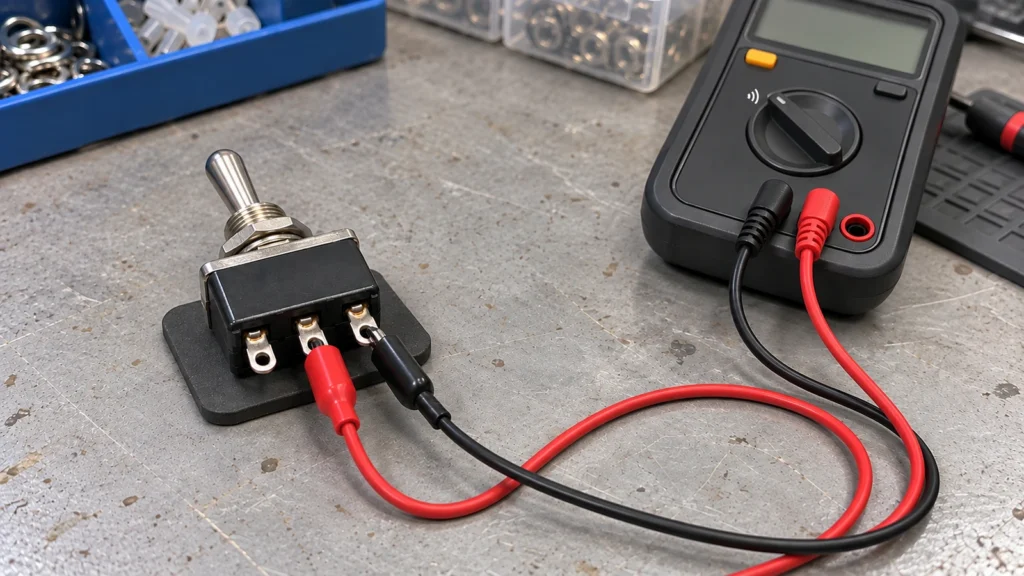
Isolate the switch from all power sources and test contact performance with a digital multimeter in continuity or low-resistance mode:
- First ON Position: Confirm continuity between COM and T1; verify that COM to T2 is an open circuit.
- Center-OFF Position: Verify open circuits between COM and both throws.
- Second ON Position: Confirm continuity between COM and T2; verify that COM to T1 is open. On DPDT models, repeat the sequence across Pole B to ensure both poles switch synchronously without cross-pole shorting.
Lever Position and Circuit Function Verification
Cycle the lever across all three positions to verify positive mechanical detents and confirm there is no unexpected spring-return action. Once installed, validate control circuit operation at reduced or pilot voltage before energizing main power lines, high-demand motors, or sensitive automation hardware.
External Sources
- NKK Switches Training Modules: Pole, Throw, Position, and Circuit Notation
- NKK Switches Toggle Series Catalog